EasyEnv is a Blender Add On which can generate 3D gaussain splatting environment based on a single image. Leverage the technique of ml-sharp (from Apple) and 3DGS Render (from Kiri Engine).

Although the Add On support CPU, still highly recommend using GPU for faster 3D scene generation- Tested Platform : Windows
- Blender Version : 4.3 and above (4.4, 4.5, 5.0...)
- Full File Size : 10GB (after all files got downloaded)
- Suggested GPU : NVIDIA RTX series or GTX 16 series or newer (Tested on RTX 2070)
- Suggested GPU drivers : NVIDIA driver version 525.60.13 or newer (for CUDA 12.x support)
- Suggested Blender Render : EEVEE
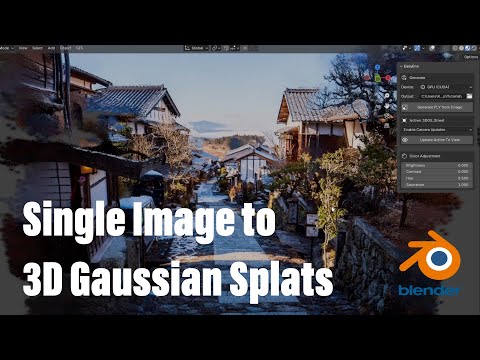
Video tutorial

- Download the zip file from GitHub Releases page
- Go to Preferences, Add-ons, Install from disk and choose the downloaded zip file

Environment Setup Panel: Checking the status of installation. If all the files got installed, this panel will be gone. Just need to install onceInstall Environment Button: Install all the files needed for this Add On with internet (It's self-contained. Won't affect your computer's system)Device Mode: Choose to generate 3D scene with GPU or CPUOutput Folder: Choose the output folder for the generated 3D scene fileGenerate Button: Choose an image and start generating 3D sceneView Mode: Choose to display 3D scene as Gaussian Splats or Point Clouds (need to select the object first)Update Splats Direction: Update Gaussian Splats to face the viewport (need to select the object first)Color Adjustment: Adjust the brightness, contrast, hue and saturation of the Gaussian Splats (need to select the object first)
- If your Blender does not have access to the internet, you can manually download the whole file, place it in Blender's Extensions folder and skip the installation process
- For example, extract the EasyEnv file from the zip file and place it in this folder :
C:\Users\TimChen\AppData\Roaming\Blender Foundation\Blender\4.3\extensions\user_default(use your own Blender extension path) - After place the entire file in Blender's Extensions folder, enable the Add On through the Add On panel
- Full size ZIP file link : https://drive.google.com/drive/folders/1c8wVdXtA7EKcuABRp-QfWXXhxgiCUVrK?usp=sharing
-Sometimes the Environment Setup Panel may show up with python packages not found if we place the folder manually. Just close Blender and open again

- ml-sharp (Sharp Monocular View Synthesis in Less Than a Second) by Apple Inc. : https://github.com/apple/ml-sharp?tab=readme-ov-file
- 3DGS Render Blender Addon by Kiri Engine : https://github.com/Kiri-Innovation/3dgs-render-blender-addon?tab=readme-ov-file