Most RGB controllers are static. This is a sequence-driven rendering engine designed to orchestrate the entire lifecycle of a PC's lighting—from an explosive "Ignition" startup sequence to a more calm and expressive idle loop.


A high-performance, modular hardware-rendering engine designed for real-time RGB synchronization across distributed hardware zones.
Treats hardware lighting as a professional rendering pipeline, utilizing vectorized buffer updates, a centralized state machine, and signal processing techniques to deliver anti-aliased, high-fidelity animations. Includes helper scripts to allow you to discover, name, and configure your own devices.
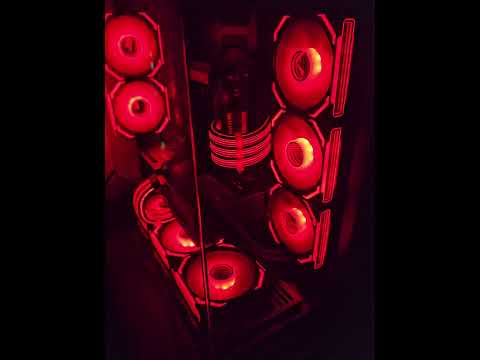
Demonstrating a "Liquid Fill" startup sequence transitioning into a "Main Show" and finally an "Idle Loop" across Asiahorse fans, G.Skill RAM, and Strimmer cables.
Utilizes NumPy to represent LED states as high-density arrays. Instead of slow per-LED loops, LuminaCore performs O(1) vectorized buffer updates, allowing for complex math (gradients, rolls, and shifts) to be calculated across all devices in a single batch operation.
Implements a high-resolution oversampling algorithm. By simulating lighting at a higher resolution than the physical LED count and then downsampling, the engine eliminates "pixel jitter" and aliasing, resulting in buttery-smooth motion even at low speeds.
The engine is built on a strictly decoupled framework using Abstract Base Classes (ABCs):
- Color Sources: Handle spatial logic (Hue/Saturation) via circular interpolation and spectral rendering.
- Effects: Handle temporal logic (Value/Brightness) via signal generators (Trapezoidal, Cosine, and Geometric series).
Powered by a centralized State Machine, the engine manages the transition between different application states (Boot-up, Active, and Idle). Connectivity is managed via an asynchronous RPC layer to an OpenRGB server, ensuring compatibility across a wide range of vendors (Asiahorse, G.Skill, Corsair, etc.).
src/
├── main.py                 # Lifecycle State Machine & Orchestration
├── stage_manager.py        # Effect concurrency & device zone management
├── utils/
│   ├── effects/            # Effect implementations (Breathing, Chase, FlickerRamp)
│   ├── color_source.py     # Gradient & Dynamic color logic (NumPy optimized)
│   └── openrgb_helper.py   # RPC connectivity & hardware abstraction
- OpenRGB Server running on the target machine.
- Python 3.10 or higher.
-
Clone the Repository
git clone https://github.com/sahilmtayade/my-openrgb-python.git cd my-openrgb-python -
Install Dependencies Ensure you have Python installed, then run:
pip install -r requirements.txt
-
Run the Script You can run the script manually using:
python src/main.py
To run the script on Windows startup, you can create a scheduled task or place a shortcut in the Startup folder.
-
Configure Environment Variables
Create a.envfile in the project root to set environment variables. For example, to enable debug mode:DEBUG=1You can leave this as is for basic debugging. Additional options may be added in the future.
- Modify the
src/main.pyfile to set your desired lighting effects and colors. - Use the
src/utils/openrgb_helper.pyfor additional functionality and customization.
Adding a new effect is as simple as defining a ColorSource and passing it to an Effect class. The framework handles the low-level buffer math and hardware push automatically.
# Create a dynamic scrolling gradient
flame_source = ScrollingColorSource(
    source=flame_gradient,
    speed=15.0,
    mirrored=True
)

# Apply a breathing effect to the fans using the flame source
manager.add_effect(
    Breathing(fans, color_source=flame_source, cycle_duration=5.0)
)- Color Space: Internal processing in HSV for superior interpolation; converted to RGB for hardware push.
- Buffer Control: Vectorized NumPy arrays (
float32). - Timing: Geometric series sums for non-linear acceleration patterns.
- Sync: Frame-locked at 30/60 FPS with sub-millisecond drift correction.
Contributions are welcome. Specifically interested in new signal generators for complex animations or expanded hardware zone configurations.
This project is licensed under the MIT License - see the LICENSE file for details.