This Discord bot is designed to encourage and facilitate LeetCode practice within a server by automatically distributing personalized, recurring coding problems. This bot is intended for Discord servers that want structured, recurring LeetCode practice with light competition elements.
Server administrators can configure problems to be posted on specific days and times, select difficulty levels, and optionally include premium problems.
In addition to scheduled problems, the bot provides baseline utility features such as:
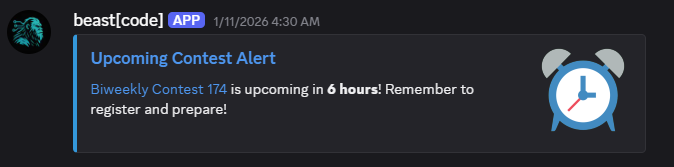
- Notifications for upcoming contests
- Alerts when contests go live
- Notifications for the official daily LeetCode problem
This is a personal project and has no official affiliation with LeetCode.
The project is licensed under the MIT License.
To get started, I recommend using /help. It will briefly explain a majority of the implicit aspects of the bot. After that, you can start configuring your server through /serverconfig. Then configure your problems with /problemconfig. There is a limit of 5 recurring problems, but each one can be sent on numerous days as well as have variable difficulty. For a full walkthrough, simply visit the tutorial page here.
Arguments marked with
*are optional.
Main Commands
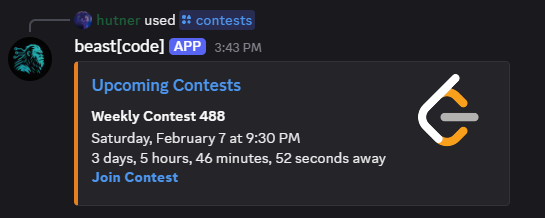
lcproblem <dif> <premium*>- Posts a problem for users to solve.dailylcproblem- Posts the LeetCode daily problem.contests- Displays upcoming contest times
Competition Commands
submitproblems- Submits recently completed problems. Get's points if they were active.leaderboard- Displays the current point leaderboard.rank <user*>- Displays the current leaderboard position of a user.
Config & Status Commands
userinfo <user*>- Displays user information.setusername <username>- Sets the LeetCode username of the user.deleteuser- Deletes a user's config.problemconfig <problemID>- Allows configuration of problems.probleminfo- Displays information about all configured problems.problemactive- Displays the problems that can be submitted for points.deleteproblem <problemID>- Deletes a problem's config.serverconfig <setting group>- Allows configuration of server settings.serverinfo- Displays information about a server's config.resetdupes- Clears a server's duplicate problems.deleteserver- Deletes a server's config.
Misc. Commands
about- Displays some information about the bot.report- Provides the GitHub link so users can report bugs.help <command*>- Explains background info and give details about an individual command.vote- Provides a link to Top.gg to show supporttutorial- Provides a link to the Help & Tutorial Page.
To set this up locally, you would need to provide your own Discord key. You would have to have a key.json file within the data folder. You also would need to pip install -r requirements.txt which is located in the root.
{
  "key": "string — production API key",
  "testkey": "string — local testing API key",
  "id": int — Discord user ID for error logging
}
If you found this project helpful or enjoyable, and want to support future work, you can buy me a coffee on Ko-fi
Totally optional, always appreciated.
