Multi-agent orchestration with 48+ integrated security tools.
Reconnaissance, vulnerability scanning, web testing, threat intelligence, and automated reporting — all from your terminal.


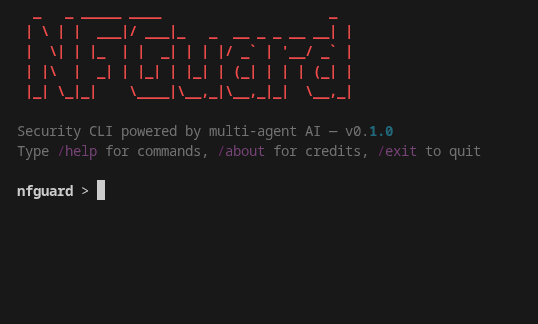
NFGuard is a security CLI that uses a multi-agent AI architecture to orchestrate 48+ security tools. You describe what you need in natural language, and the AI orchestrator delegates tasks to specialized agents — each with access to the right tools for the job.
All tools are bundled as pre-compiled binaries — no manual installation of individual tools required.
- Multi-Agent Orchestration — An orchestrator AI delegates to 8 specialist agents (Recon, Web Testing, Vuln Scanning, Reporting, Threat Intel, Secret Scanning, Supply Chain, Web Discovery), each with its own tools and system prompt
- 48+ Bundled Security Tools — From subdomain enumeration to vulnerability scanning to web fuzzing to threat intelligence, all pre-compiled and ready to use
- Interactive REPL — Rich terminal UI with tab completion, slash commands, conversation history, and real-time streaming
- Natural Language Interface — Just describe what you want; the AI figures out which tools and agents to use
- Automated Workflows (Skills) — One-command workflows:
/full-recon,/vuln-check,/web-audit - Bash Guardrails — AI can run shell commands with your approval; built-in safety filters block dangerous patterns
- PDF/DOCX Reporting — Generate professional security reports directly from scan findings
- MCP Server & Client — Expose tools via Model Context Protocol or connect external MCP tool servers
- Session Memory & Context Compaction — The AI remembers findings across the session and auto-summarizes long conversations
- Custom Skills & Agents — Create reusable workflows or specialist agents on the fly
- Any LLM Provider — Works with any OpenAI-compatible API: local models (Ollama, LM Studio), OpenRouter, OpenAI, and more
subfinder · amass · theharvester · shodan · uncover · alterx · asnmap · cdncheck · subzy · whois
dnsx · doggo · naabu · tlsx · mapcidr
katana · gau · waybackurls · unfurl · anew · httpx · webfetch
gospider · hakrawler · gowitness · webanalyze · jarm-go
gobuster · ffuf · feroxbuster
nuclei · dalfox · crlfuzz · sqlmap · arjun · interactsh
gitleaks · trufflehog
trivy · grype
epss_lookup · kev_check · circl_cve · nvd_lookup · urlhaus_check · threatfox_check
reportgen · notify
| Agent | Focus | Tools |
|---|---|---|
| ReconAgent | Reconnaissance, DNS, OSINT gathering | 18 tools |
| WebTestingAgent | Web app security (SQLi, XSS, fuzzing) | 12 tools |
| VulnScanningAgent | CVE scanning, severity prioritization | 3 tools |
| ReportingAgent | PDF/DOCX report generation | 1 tool |
| ThreatIntelAgent | CVE enrichment, IOC checks, risk prioritization | 6 tools |
| SecretScanningAgent | Secret/credential detection in repos and filesystems | 2 tools |
| SupplyChainAgent | Container/filesystem vulnerability scanning (SCA) | 2 tools |
| WebDiscoveryAgent | Spidering, screenshotting, tech fingerprinting, TLS | 5 tools |
| Platform | Supported |
|---|---|
| Linux x86_64 (amd64) | Yes |
| WSL (Windows Subsystem for Linux) | Yes |
| macOS | Planned for future release |
| Linux ARM64 (aarch64) | Planned for future release |
One command — download, install, and you're ready:
curl -sL https://raw.githubusercontent.com/dolutech/nfguard-cli/main/install.sh | sudo bashThen configure your LLM provider and launch:
nano ~/.nfguard/providers.yaml
nfguard- Downloads NFGuard v0.1.3 from GitHub Releases
- Extracts to
/opt/nfguard/and creates a symlink at/usr/local/bin/nfguard - Creates config templates at
~/.nfguard/with secure permissions - Cleans up temporary files after installation
If you prefer to inspect the script first:
# Download the installer
curl -sL https://raw.githubusercontent.com/dolutech/nfguard-cli/main/install.sh -o install.sh

# Inspect it (optional)
less install.sh

# Run it
sudo bash install.sh

# Configure and launch
nano ~/.nfguard/providers.yaml
nfguardNFGuard works with any OpenAI-compatible API endpoint.
We strongly recommend using a local LLM for maximum privacy — your security data never leaves your machine.
Recommended models: GPT-OSS 120B, Minimax M2.5, Qwen 3.5 397B-A17B, GLM-4.7-Flash
Ollama:
# ~/.nfguard/providers.yaml
providers:
  ollama:
    base_url: http://localhost:11434/v1
    api_key: ollama
    default_model: gpt-oss-120b
LM Studio:
providers:
  lmstudio:
    base_url: http://localhost:1234/v1
    api_key: lm-studio
default_model: your-loaded-modelAny OpenAI-compatible provider works.
Chutes.ai (Recommended) — Large catalog of open-weight models, decentralized infrastructure, competitive pricing:
providers:
  chutes:
    base_url: https://llm.chutes.ai/v1
    api_key: your-chutes-api-key
    default_model: openai/gpt-oss-120b-TEE
Browse models at chutes.ai and use the model ID in your config.
Note: Our recommendation of Chutes.ai is not sponsored. We recommend it based on its open-weight model catalog, decentralized architecture, and cost-effectiveness. You are free to use any OpenAI-compatible provider.
OpenRouter, Anthropic, OpenAI, and others also work:
# OpenRouter
providers:
  openrouter:
    base_url: https://openrouter.ai/api/v1
    api_key: sk-or-xxxxxxxxxxxxxxxxxxxx
    default_model: z-ai/glm-5
# Anthropic
providers:
anthropic:
base_url: https://api.anthropic.com/v1
api_key: sk-ant-xxxxxxxxxxxxxxxxxxxxxxxx
default_model: claude-sonnet-4-5-20250929# OpenAI
providers:
openai:
base_url: https://api.openai.com/v1
api_key: sk-xxxxxxxxxxxxxxxxxxxxxxxx
default_model: gpt-5.2Important: Model Guardrails Some proprietary models (e.g., GPT, Claude, Gemini) have built-in safety guardrails that may refuse to execute certain security testing tasks — even when you have explicit authorization to test the target. For this reason, we strongly recommend using open-weight models (GPT-OSS, Qwen, GLM, Minimax, etc.) which provide full control over model behavior. If you need a model perfectly tailored to your security workflow, consider fine-tuning an open-weight model for your specific use case.
Just describe what you want:
nfguard> Find all subdomains of example.com and check for open ports
nfguard> Scan target.com for vulnerabilities
nfguard> Test the login form for SQL injection
nfguard> Generate a PDF report of our findings
nfguard> Check if CVE-2024-1234 is in the KEV catalog and get its EPSS score
nfguard> Scan this Docker image for known vulnerabilities
nfguard> /full-recon example.com        # WHOIS + DNS + port scan
nfguard> /vuln-check target.com         # Shodan + Nuclei scan
nfguard> /web-audit https://app.com     # Nuclei + directory enumeration
| Command | Description |
|---|---|
/help |
Show available commands |
/exit |
Exit NFGuard |
/clear |
Clear conversation history |
/compact |
Compact context (summarize conversation) |
/export [fmt] [file] |
Export session (markdown/json/html) |
/providers |
List configured providers |
/provider <name> |
Switch active provider |
/models |
List available models |
/model <name> |
Switch active model |
/tools |
List security tools and status |
/agents |
List specialist agents |
/skills |
List available skills |
/mcp |
List MCP server connections |
/damage-control on|off |
Toggle bash guardrails |
/create-agents |
Create a custom specialist agent |
Expose all tools via Model Context Protocol for use with MCP-compatible clients:
nfguard servecurl -sL https://raw.githubusercontent.com/dolutech/nfguard-cli/main/install.sh | sudo bash -s -- --uninstallThis removes /opt/nfguard/ and the symlink but preserves your ~/.nfguard/ configuration.
To also remove your config:
rm -rf ~/.nfguard/ ┌──────────────────────┐
│ You (Terminal) │
└──────────┬───────────┘
│
┌──────────▼───────────┐
│ Interactive REPL │
│ prompt_toolkit+Rich │
└──────────┬───────────┘
│
┌──────────▼───────────┐
│ Orchestrator Agent │
│ LLM ↔ tool_calls │
└──┬──┬──┬──┬──┬──┬──┬──┬──┘
│ │ │ │ │ │ │ │
┌────────────▼┐ │ │ │ │ │ │ ┌▼────────────┐
│ReconAgent │ │ │ │ │ │ │ │Reporting │
│18 tools │ │ │ │ │ │ │ │1 tool │
└─────────────┘ │ │ │ │ │ │ └─────────────┘
┌─────────────▼┐ │ │ │ │ ┌▼─────────────┐
│WebTesting │ │ │ │ │ │SupplyChain │
│12 tools │ │ │ │ │ │2 tools │
└──────────────┘ │ │ │ │ └──────────────┘
┌──────────────▼┐ │ │ ┌▼──────────────┐
│VulnScanning │ │ │ │SecretScanning │
│3 tools │ │ │ │2 tools │
└───────────────┘ │ │ └───────────────┘
┌───────────────▼┐┌▼───────────────┐
│ThreatIntel ││WebDiscovery │
│6 tools ││5 tools │
└────────────────┘└────────────────┘
│
┌──────────▼───────────┐
│ Security Binaries │
│ nuclei, naabu, ffuf │
│ subfinder, trivy... │
└──────────────────────┘
This project is licensed under the MIT License.
NFGuard is a community project — currently distributed as a compiled binary.
NFGuard is intended for authorized security testing only. Always ensure you have explicit permission before testing any system. Unauthorized security testing is illegal in most jurisdictions. Use responsibly.
- Email: lucas@dolutech.com
- Website: nfguard.org
Built for the security community.